Personal Project · Web App · Nutrition Tracking
Macro Track
A personal project built to sharpen front-end skills and explore functionality-driven design — helping users effortlessly track their daily food intake with a clean, distraction-free interface.
Overview
Built to learn. Now being rebuilt to be genuinely useful.
MacroTrack started as a deliberate technical exercise — a solo project to push my skills in Firebase integration, dynamic DOM manipulation, and data persistence. The goal was simple: a cleaner, more focused alternative to the nutrition apps that bury the core action (log food) under features most people never use.
The original build achieved its technical goals. What it didn't have was a UX foundation built on real research — because at the time, I didn't have one yet. This page documents both what was built and what a proper redesign looks like now that my HCI skills have caught up with my ambition for it.
What I Built & Learned
Bridging design and real technical constraints.
MacroTrack was as much a technical education as a design project. Building it solo meant I had to understand every layer — from the UI through to the data layer — which gave me a much clearer mental model of what's actually easy and hard to build in production.
Firebase Integration
Built real-time data saving and retrieval for daily food logs using Firebase — handling previous-day data, persistence across sessions, and live updates without page reloads.
Dynamic Content Loading
One of the core technical challenges was dynamically loading food entries and ensuring interactive elements (edit, delete, update) correctly bound to those dynamic nodes — a common source of JS bugs.
Safer Dev Environment
Used a compiler setup to catch errors before pushing updates — learning to treat deployment as a distinct phase from development, not something to do casually.
Functionality-First Design
Since this was a solo personal project, design decisions prioritized reliability and clarity over visual polish — a deliberate tradeoff that kept scope manageable.
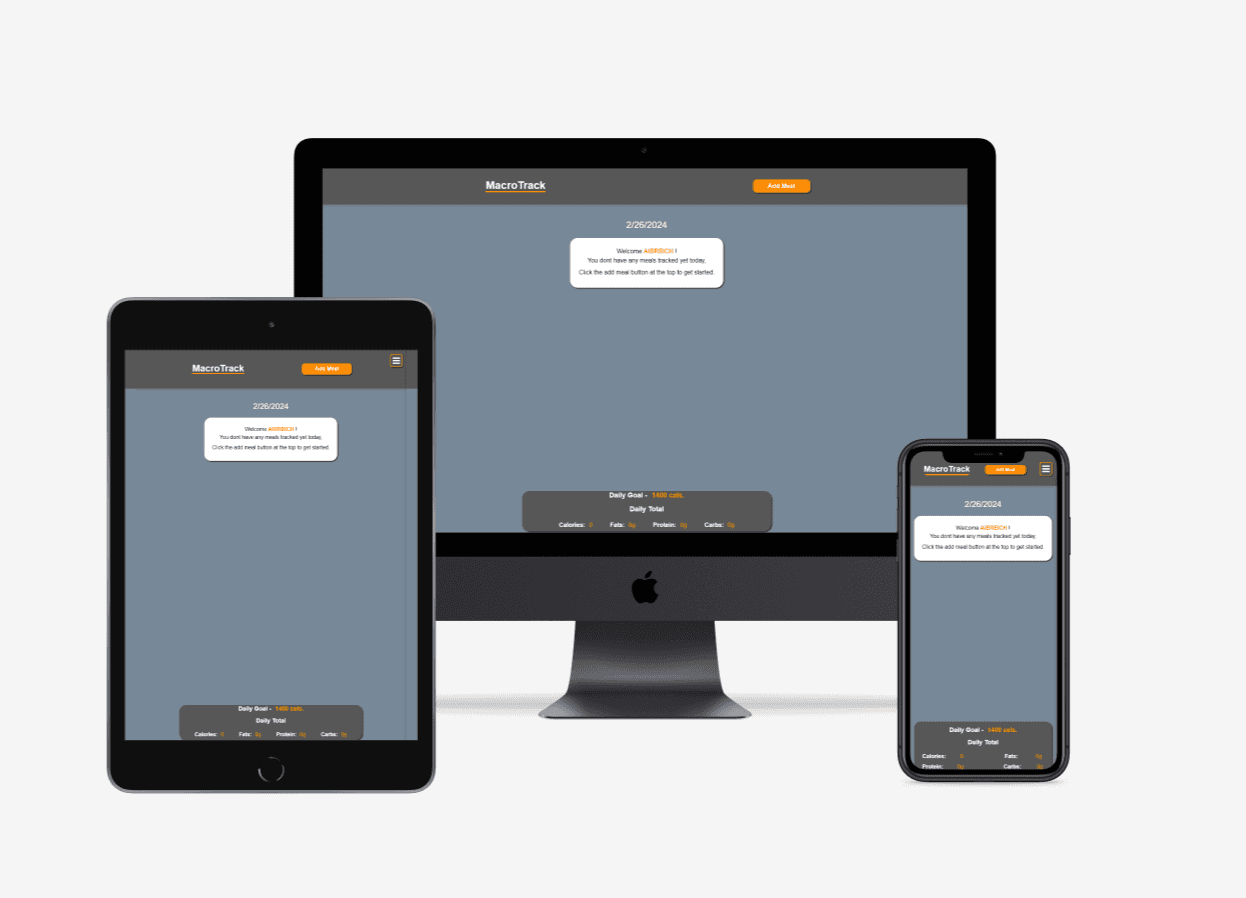
MacroTrack UI — simple, focused food logging interface
The Redesign
Applying an HCI foundation to a working technical base.
MacroTrack is the most direct before/after story in this portfolio. The original version was built before I had completed the HCI program at Indiana University — before Mindful, before I had a methodology for research-driven decisions, before I understood what a UX process actually looked like end-to-end.
The redesign applies all of that to a codebase that already works. The technical foundation — Firebase, real-time sync, dynamic DOM — is solid and stays. What changes is everything above it: the research, the IA, the interaction model, and the visual design.
- User interviews first — understand what nutrition tracking actually looks like day-to-day: when people log, where they fail, what makes them stop using an app after week two.
- IA restructured around mental models — rethink the hierarchy around how people think about food (meals and habits), not how nutritional databases categorize it (macros and micronutrients).
- Minimum-friction logging — reduce the core action to its simplest possible form, validated through task timing rather than assumption. If it takes more than 10 seconds to log a meal, something is wrong.
- Usability testing at mid-fi — applying the same testing methodology used in Mindful: structured tasks, timed completion, and iterating on results before committing to high-fidelity.
Explore the Code
Open source and available on GitHub.
The full codebase is available to explore. It's a useful reference for seeing how Firebase real-time database integration works alongside dynamic DOM manipulation in vanilla JavaScript.